Buyer's guide · July 28, 2026 · 4 min read
Fixed or mobile: choosing the right interactive wall
Six configurations, three questions. This guide summarizes the method we use with facilities before any demonstration.
Question 1: one dedicated room, or several sites?
If a room can host the system permanently, the K-Station is the logical choice: a discreet wall-mounted unit, always ready, nothing to put away. If the system needs to rotate between several floors, buildings or facilities, the K-Mobile moves and sets up in five minutes with no tools.
Question 2: S version or E version?
The S version covers everyday use with a selection of ready-to-play activities. The E version adds Editor mode: access to the full catalog and the ability to personalize more than thirty games with your own words, images and questions. Facilities that run sessions for several different audiences most often choose the E version.
Question 3: with or without a projector?
The VP versions include an ultra short throw projector. If your room already has one, the version without a projector connects to it and you keep your existing equipment.
Alongside these three questions comes the funding model: our configurations are available with or without a subscription. We detail both options in the quote, from €5,990 excluding VAT for the K-Station S.
Question 4: what does the room actually allow?
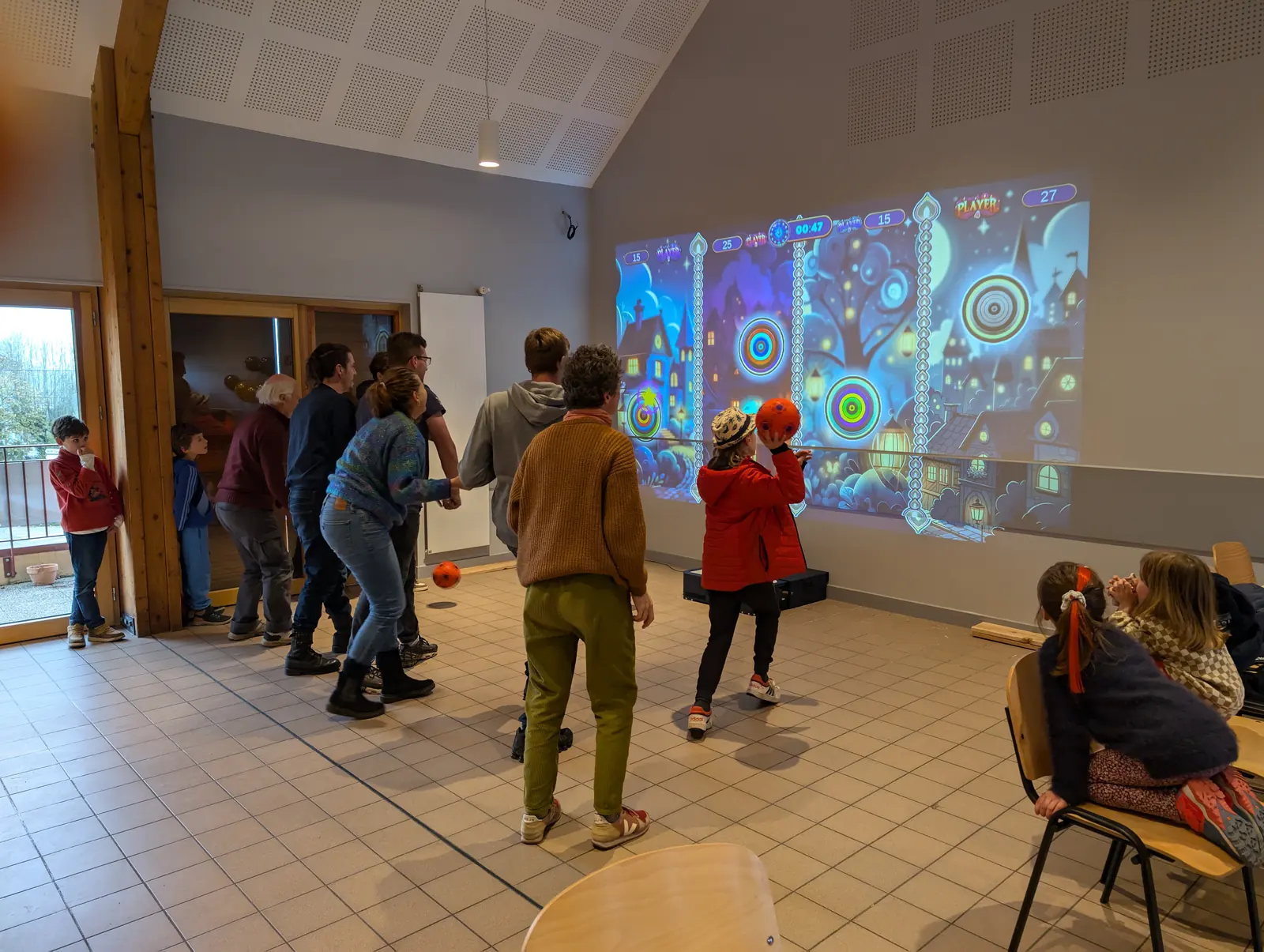
This is the question that decides more often than any other, and the one people ask last. The projected image is adjustable from two to four meters (roughly 7 to 13 feet) wide, so the real constraint is rarely the wall itself but the space in front of it and the light falling on it.
A clear wall, a power socket and enough room for wheelchairs to turn are the practical requirements. Bright direct sunlight on the projection area is the one condition that genuinely limits the result, and it is usually solved with a blind rather than with different equipment.
We survey the room before quoting: dimensions, available throw distance, light, socket position, circulation. That survey is what determines the version and the image size, and it costs nothing.
Question 5: who will run it, and how often?
A system that needs long preparation ends up in a cupboard, whatever its quality. Neither version needs a network: every activity is built into the unit, so a socket is enough and no IT request is required.
If sessions will be run by several people who change often, the permanently installed K-Station removes the setup step entirely: switch on and start. If one person carries the activity between sites or between floors, the K-Mobile is the version that gets used, because five minutes of setup with no tools is short enough not to discourage anyone.
The honest test is this: count how many minutes stand between the decision to run a session and the first game. Under five, the equipment gets used every week. Over fifteen, it gets used at open days.
What both versions share
Detection is by laser sensor as standard, which captures no image at all, an important point in care settings. An optional K-motion camera detects the body without a ball or object, for people who cannot throw.
Five players take part at the same time, sixteen by taking turns, and the number of impacts detected at once is not limited. Twenty games are built in and work for life with no subscription.
Warranty is three years as standard, extendable to five. Both versions accept the same content, so a choice made now does not close any door later.
What makes a quote vary
The entry price is €5,990 excluding VAT. What moves the final figure is the configuration rather than the negotiation: fixed or mobile, with or without the ultra short throw projector, S version or E version with Editor mode, the optional K-motion camera, content packs, and the length of warranty.
There is no hidden recurring cost. The twenty built-in games carry no subscription, which is a point funders check closely because it means the investment creates no obligatory running charge in the following years.
The pricing page sets out the six configurations and what changes between them. If you are still weighing the two families, the interactive wall overview explains how the system works before any question of version arises.
Can we move from one version to the other later?
Both versions run exactly the same content, so nothing you buy now is lost if your use changes. Settings that start with one mobile unit shared between sites often add a fixed installation in the room that uses it most, and keep the mobile one for the rotation.
How much space does it actually need?
A clear wall or light flat surface, a 230 V socket, and enough room in front for the group to move including wheelchairs. The image is adjustable from two to four meters (roughly 7 to 13 feet) wide, so a small room is rarely the obstacle people expect. Direct sunlight on the projection area is the one real constraint, and a blind usually solves it.
How much does an interactive wall cost?
From €5,990 excluding VAT. What moves the final figure is the configuration rather than negotiation, and the pricing page lists the six of them. The point funders check most closely is that the twenty built-in games carry no subscription, so the purchase creates no obligatory charge in later years.
What is covered by the warranty?
Three years as standard on the hardware, parts and labor, extendable to five. Software updates are included. Neither version needs a connection to run, so an update is something you choose to install rather than something that interrupts a session.
Related sectors
Featured models
Ready to see the interactive wall in your facility?
Request a quote and we will get back to you within 48 hours with configuration and pricing.