Disability and inclusion · August 5, 2026 · 6 min read
Disability services and special education: adapting physical activity for autism and ADHD
Many physical activities remain out of reach for people with neurodevelopmental differences. An interactive wall removes the controller, the complex rule and the fear of failing in front of the group.
Remove the interface, keep the movement
A controller, a running start or a long set of instructions is often enough to exclude part of the group. On an interactive wall, the interface disappears: the body acts directly on the image. The instruction fits in one sentence, and success is immediately visible.
Adjusting sensory stimulation
Staff choose calm or high-energy activities depending on the profile. Sound can be muted, the image simplified, the pace slowed down. The same room can host a soothing sensory workshop in the morning and an energetic session in the afternoon.
- Individual or small group activities
- Content that can be personalized with the facility's own references
- No connected device to wear, no individual equipment
A shared tool for teams
Special education teachers, adapted physical activity specialists, teachers and activity leaders use the wall as a common tool: motor skills, coordination, joint attention, turn-taking, vocabulary. The tool does not replace the educational project, it gives it a playground.
Why a controller gets in the way
For a young person with autism or ADHD, a controller adds a layer between the intention and the result. It has to be held, oriented, pressed at the right moment, and not dropped. Each of those steps is a chance to fail at something that has nothing to do with the activity itself.
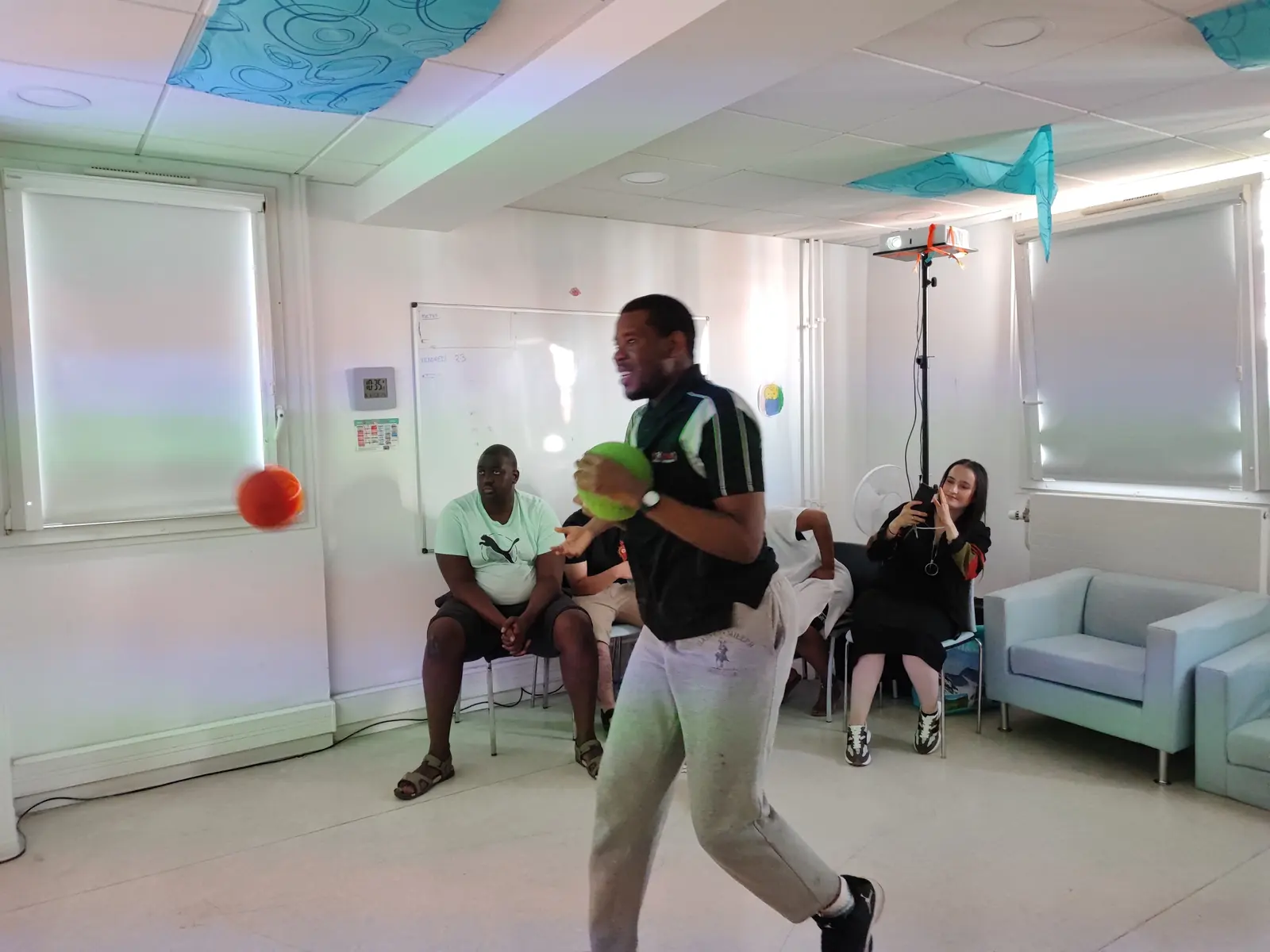
Removing the interface removes those failures. The gesture is the only control: the young person throws a foam ball or touches the target with a hand, and something happens immediately. The link between action and effect is direct, which is exactly what makes the activity readable.
There is no individual screen either. The whole group looks at the same image on the wall, which means a support worker can see at a glance what a young person is doing, and step in with a word rather than by taking over a device.
Starting with a young person who does not speak
Non-verbal young people are often left out of group activities because most of them run on spoken instructions. On the wall, the instruction is visual: a color to hit, a shape to find, an image to match. Understanding does not depend on language.
Teams usually start with a single very simple game, played alone or with one other person, for two or three minutes. What matters at that stage is not the score but whether the young person comes back to the wall on their own. That first voluntary return is the signal that the activity has been understood.
Rounds stay short. Two to three minutes suits attention spans better than a long game, and ending while engagement is still high avoids the difficult finishes that make a young person refuse the next session.
Building content around the young person
Editor mode lets a team build its own activities on an office computer, then sync them to the wall. Photographs of the setting, pictograms already used in the classroom, the vocabulary of an individual plan, images of familiar places: the content matches the young person instead of the young person adapting to generic content.
That matters more than it sounds. A matching game built with the faces of the support team, or with photographs of the rooms a young person walks through every day, produces engagement that no off-the-shelf game reaches.
Sensory settings are adjustable too. Sound can be turned down or off, colors simplified, animations slowed. A room that overstimulates produces refusal, and refusal is far harder to undo than a slow start.
What teams observe, and what is never measured
Kmoove records no health data. Results stay local to the wall, and only a first name may be entered. This is a deliberate choice, and it means the wall cannot be used as an assessment tool.
What teams write in an individual plan is qualitative: time spent engaged, willingness to join the group, spontaneous movement, tolerance of turn-taking, whether the young person asks for the activity again. Those observations belong to the professionals, recorded with their own tools.
The system is an activity support. It is not a medical device and does not replace the judgement of a healthcare professional. For the wider picture, see the disability services and special education page, and the frequently asked questions for the points teams raise most often.
Does it work for non-verbal children and young people?
Yes, and that is one of the main reasons teams choose it. Instructions are visual rather than spoken: a color to hit, a shape to find, an image to match. Taking part does not depend on understanding language, so a young person who does not speak is not excluded from the group activity.
Can the sound and the visual intensity be reduced?
Sound can be lowered or switched off entirely, colors simplified and animations slowed. This matters more than it sounds: a room that overstimulates produces refusal, and refusal is far harder to undo than a slow start. Teams usually begin with the calmest settings and add stimulation only once the young person is comfortable.
Is it suitable for a sensory room?
It works alongside sensory room equipment rather than replacing it. A sensory room calms; this adds movement and shared attention. Some settings install a K-Station in a dedicated room, others bring a K-Mobile in for a session and take it out again, which suits a room used for several purposes.
What ages does it suit?
From early years to adult services. The content changes rather than the equipment: pictograms and simple matching for younger children, letters, numbers and category games for school age, coordination and team games in adult day services and sheltered workshops. The same unit serves a nursery class and an adult service in the same building.
Can we create our own activities?
Editor mode lets a team build content on an office computer and sync it to the wall: photographs of the setting, the pictograms already used in class, the vocabulary of an individual plan. Nine editor templates cover the usual formats. It is included in the E versions, and it is what turns a generic tool into one built around a specific young person.
Featured models
Ready to see the interactive wall in your facility?
Request a quote and we will get back to you within 48 hours with configuration and pricing.